

We are creating your Yeastar account... 15s left
We'll directing you to your account once done. Please don't close or refresh this window until the pocess is finished.
P-Serie Cloud Edition
Cloud-PBX-Telefonsystem für Unternehmen


Alles, was Sie benötigen, in einem Cloud-PBX


Tätigen und empfangen Sie Geschäftsanrufe mit dem Gerät Ihrer Wahl, von überall aus. Bleiben Sie mit einem beständigen Anruferlebnis in Verbindung, ob auf dem Mobilgerät, Desktop oder im Browser.
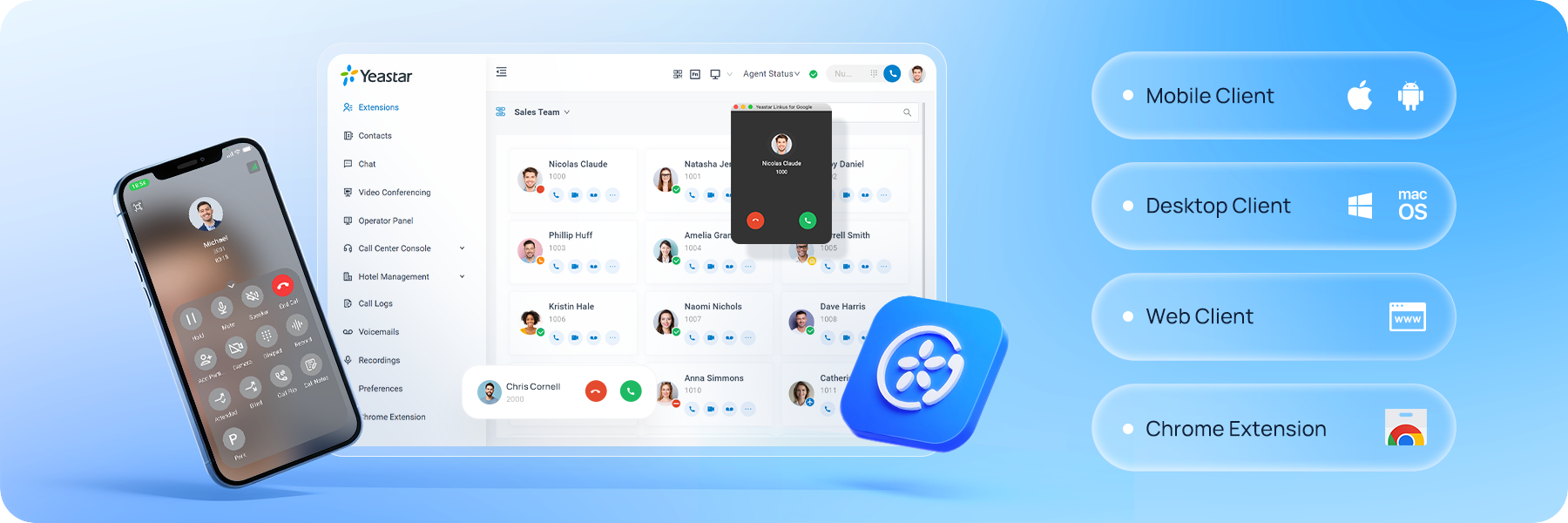
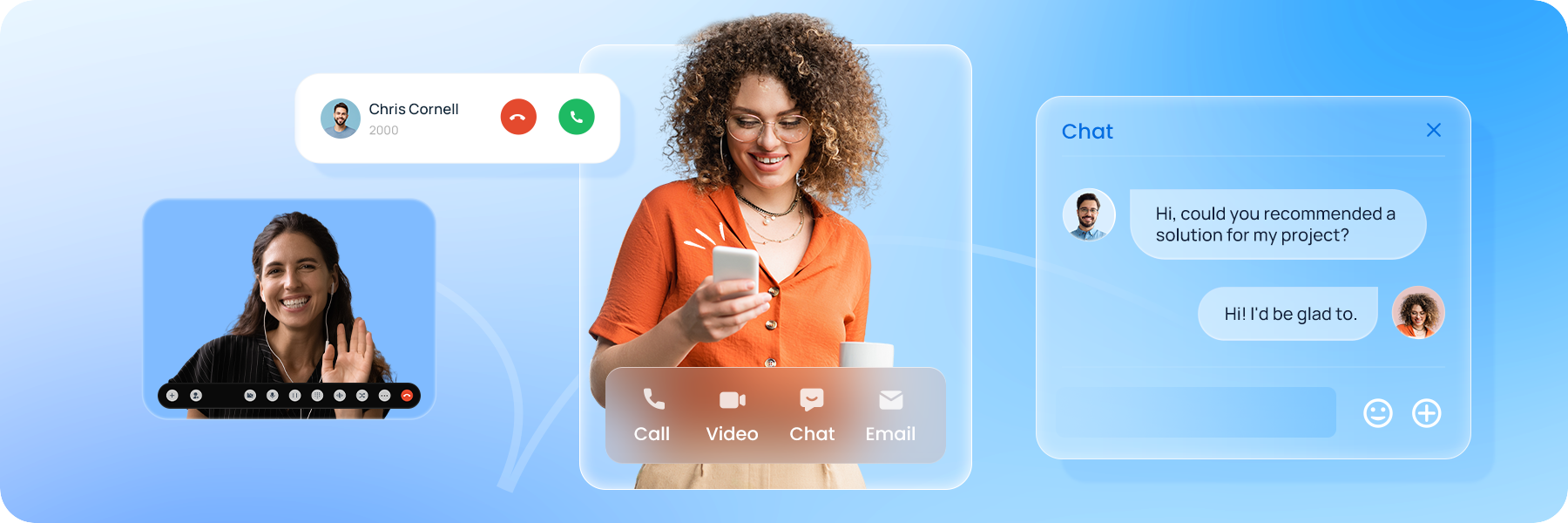
Tätigen Sie Sprach- und Videoanrufe, veranstalten Sie Meetings mit Bildschirmfreigabe und kommunizieren Sie über Nachrichten mit Echtzeit-Präsenzanzeige.
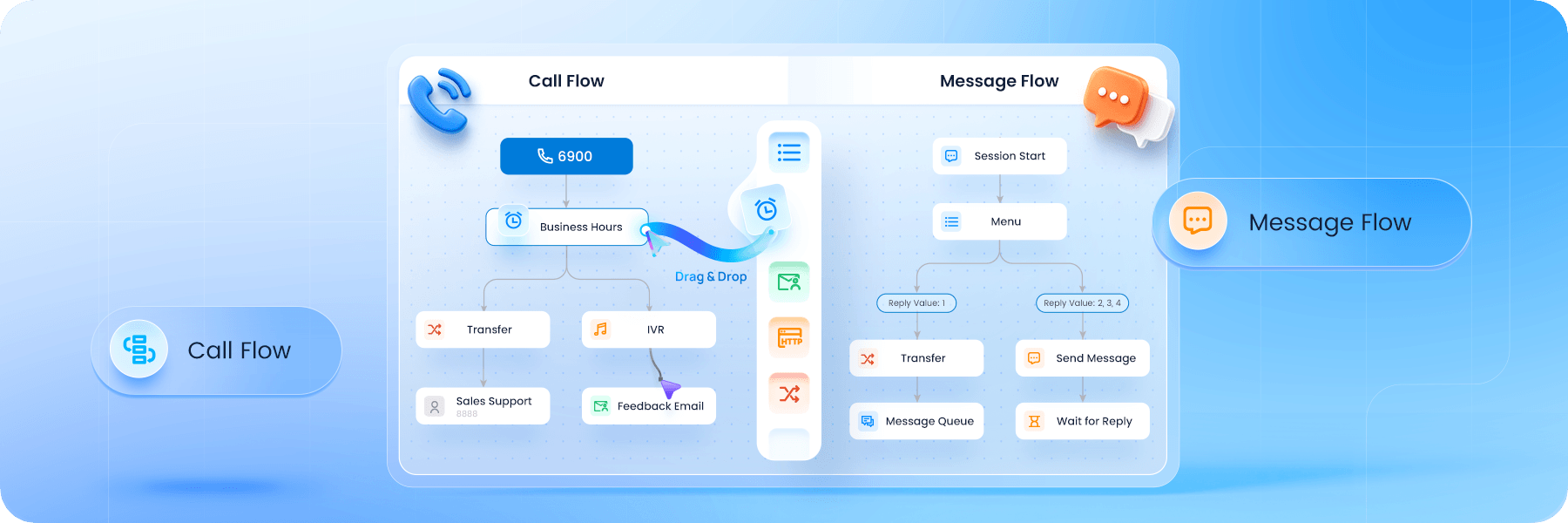
Bearbeiten Sie Anrufe und Nachrichten schneller und smarter mit automatisierten Workflow-Designern. Optimieren Sie Routing, Übertragungen und den täglichen Betrieb, um manuellen Aufwand und Verzögerungen zu reduzieren.
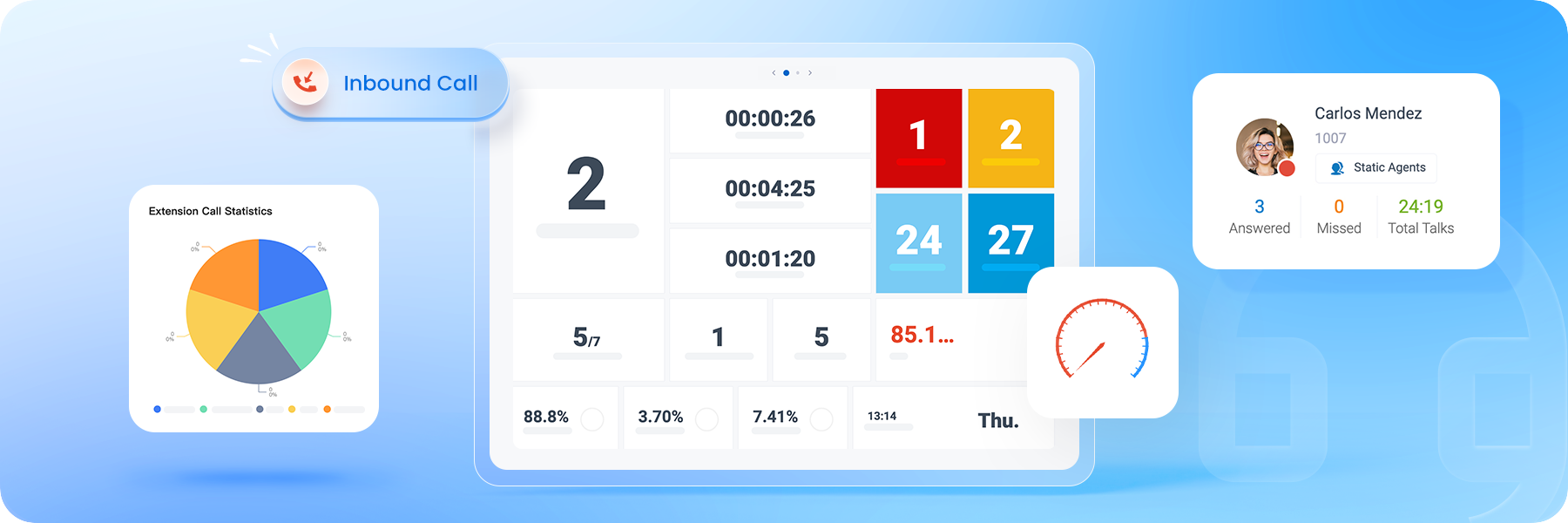
Verwalten Sie eingehende Anrufe mit voller Sichtbarkeit in Warteschlangen, Agentenleistung und Echtzeitaktivität, sodass Vorgesetzte das Serviceniveau hoch halten und Teams reibungslos arbeiten können.
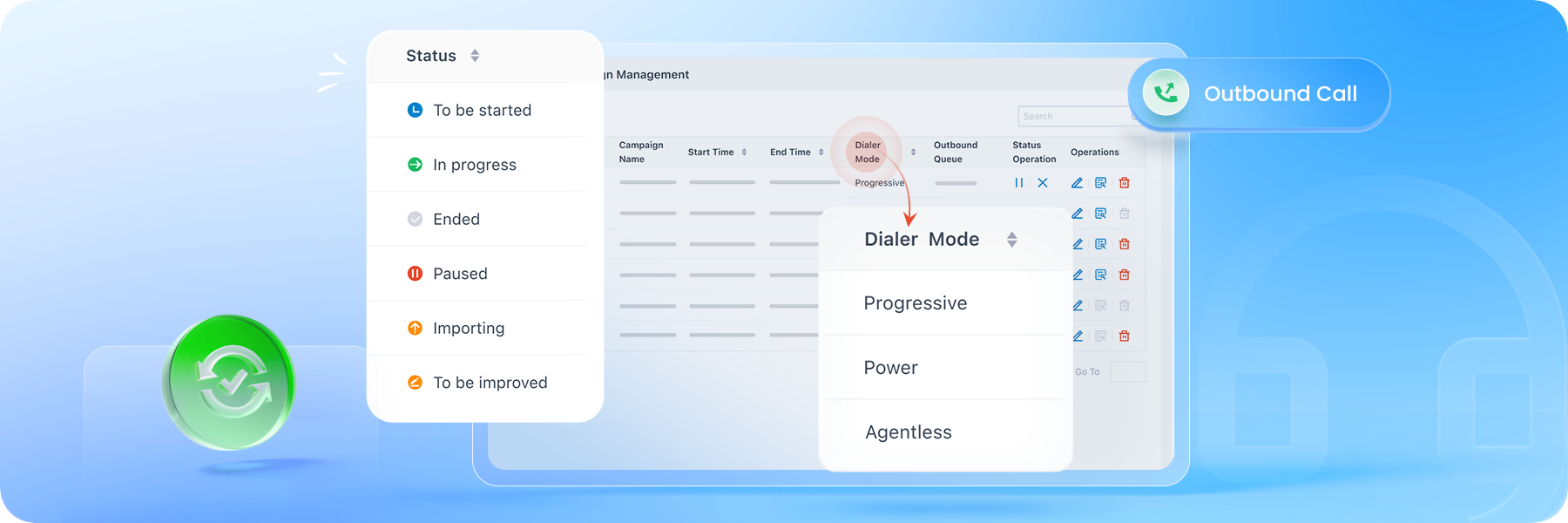
Verwenden Sie progressives, leistungsstarkes oder agentenloses automatisches Wählen zum Skalieren ausgehender Anrufe, um Kunden zu erreichen und die Produktivität der Agenten sowie die Effizienz der Kampagnen zu verbessern.
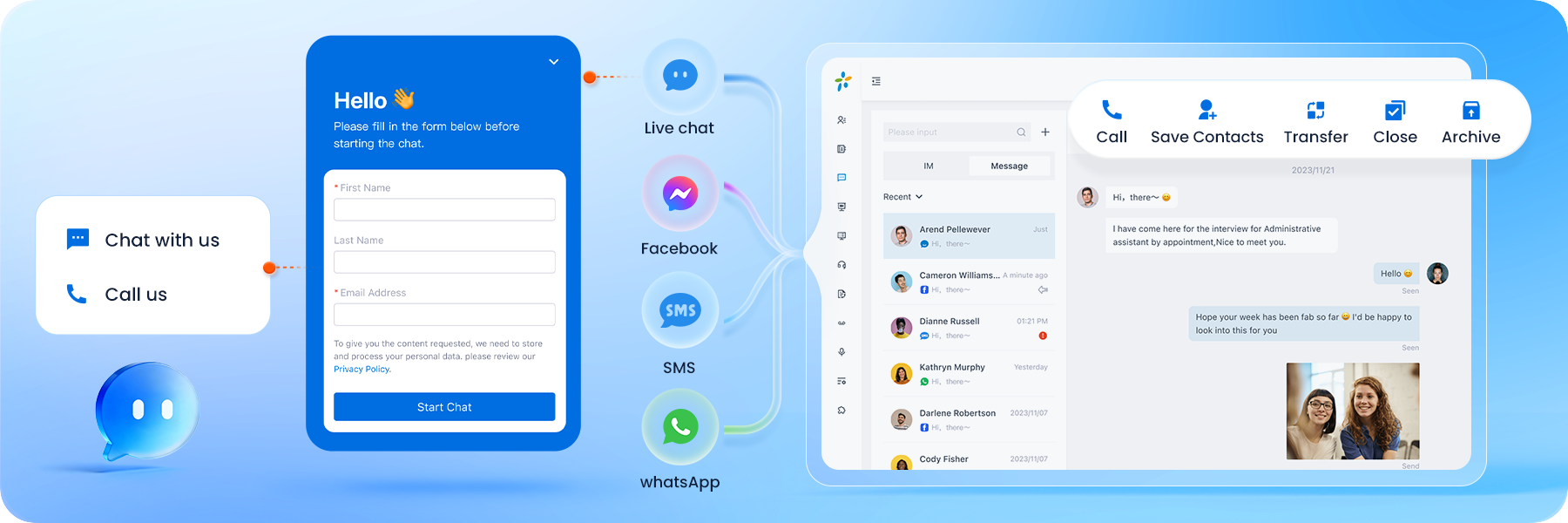
Verwaltung von Kundengesprächen per WhatsApp, SMS, Facebook und Live Chat in einem Posteingang mit klarer Agentenzuweisung, vollständigem Chatverlauf und Unterstützung für Massennachrichten.
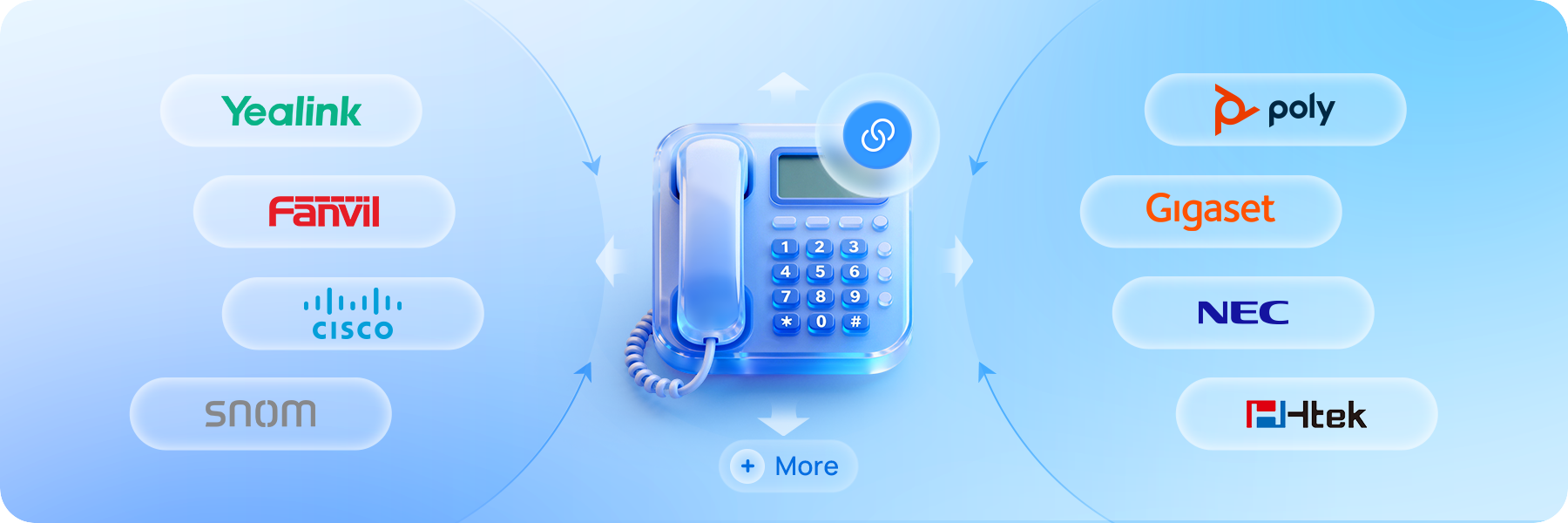
Das Yeastar Cloud-Telefonsystem ist kompatibel mit über 500 IP-Telefonmodellen von führenden Anbietern, unterstützt durch automatische Bereitstellung für einen schnellen, mühelosen Einsatz.
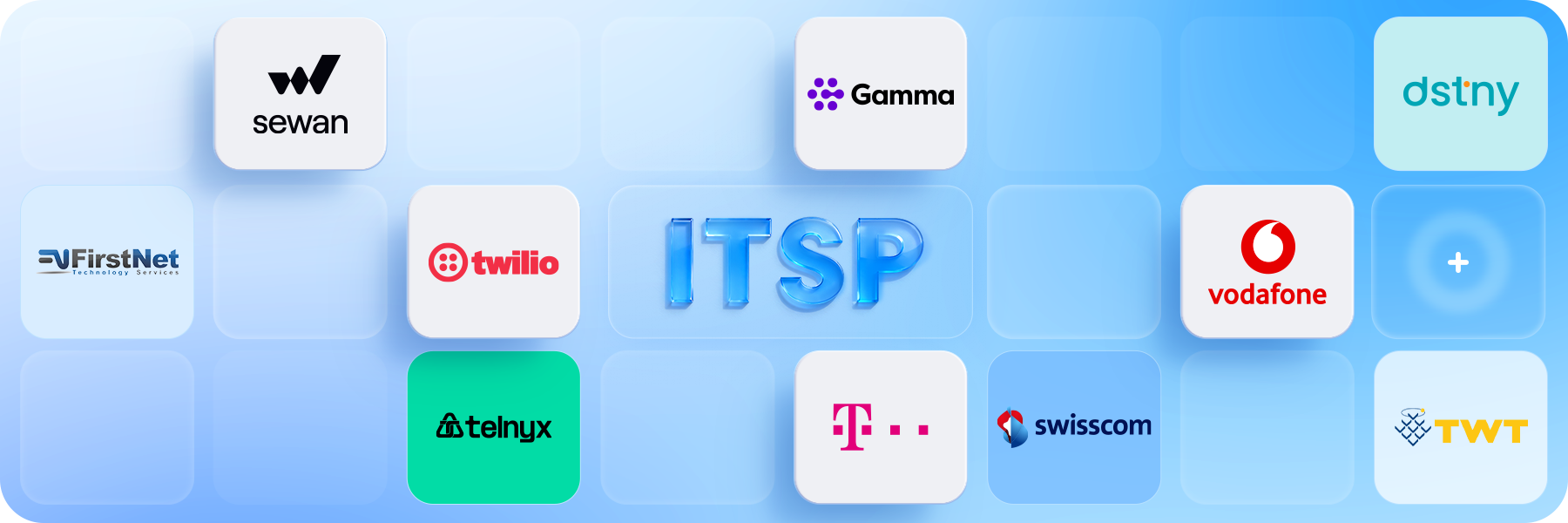
Nahtlose Verbindung mit über 210 SIP-Trunk-Anbietern weltweit, um Kosten zu senken, Migration zu vereinfachen und vorhandene Nummern im Dienst zu halten.
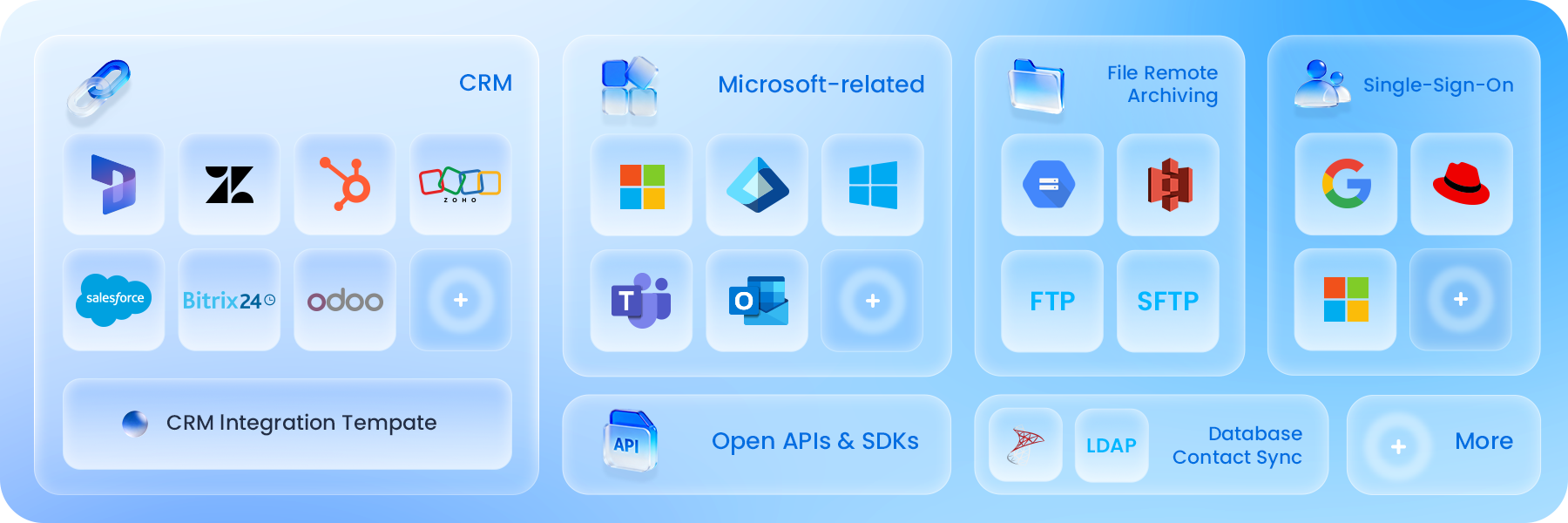
Integrieren Sie Cloud-PBX mit gängigen CRM, Helpdesk, Microsoft 365 und weiteren Geschäftssystemen, damit die Kommunikation zwischen Ihren alltäglichen Workflows verbunden bleibt.
Verbessern Sie Ihr Unternehmen mit
KI-gestützter Kommunikation
Verbessern Sie die P-Series PBX mit integrierter KI. Optimieren Sie Workflows, erfassen Sie wichtige Erkenntnisse,
und liefern Sie Service rund um die Uhr, ohne mehr Personal einzustellen. Mehr erfahren
↗
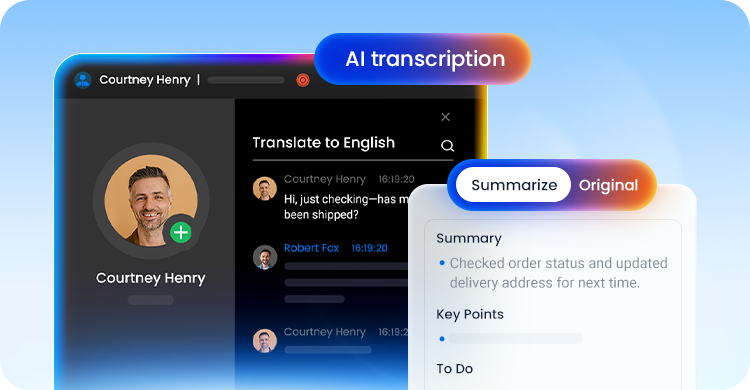
Fördern Sie die Produktivität mit KI-Assistenz
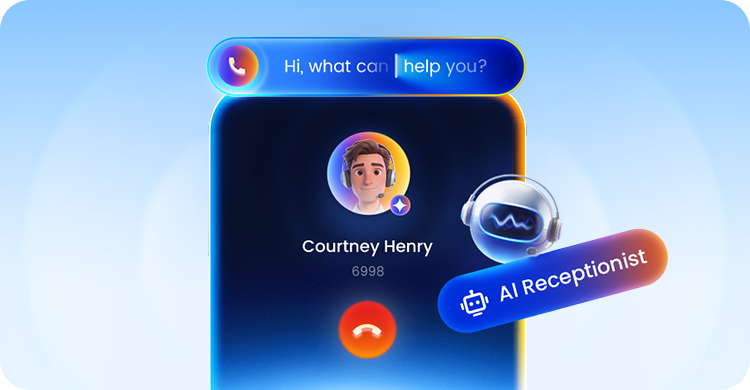
Optimieren Sie den ROI mit KI-Rezeptionist
Für Dienstleister
Der schnelle Weg zur reibungslosen Einführung gehosteter Sprachdienste
Ganz gleich, ob Sie ein Neuling auf dem gehosteten UCaaS-Markt oder ein etablierter Dienstleister sind, der sein Angebot erweitern möchte: Yeastar bietet eine sofort einsatzbereite Lösung mit geringen Einstiegshürden.

Unterstützen Sie das Wachstum Ihres Unternehmens
Bündeln Sie Ihr eigenes SIP-Trunking und andere Dienste, legen Sie Ihre eigenen Preise fest und behalten Sie die volle Kontrolle über Ihre Kunden. Wir unterstützen Sie vollumfänglich.

Zuverlässige Cloud
Hosting in unserer oder Ihrer Cloud. 99,99 % Zuverlässigkeit, Überwachung rund um die Uhr und eine mehrschichtige Sicherheitsstruktur sorgen dafür, dass Ihre Kunden immer online sind.
Zentrales Management
Einrichtung, Bereitstellung und Verwaltung Ihrer Cloud-Telefonanlagen auf einer intuitiven, leistungsstarken Plattform. Die Tools umfassen Bereitstellungsvorlagen, aktive Überwachung, Aufgabenplanung und vieles mehr.

Einfache White-Label-Lösung
Etablieren Sie Ihre Marke schnell auf dem Markt. Verleihen Sie der Lösung ein neues Gesicht mit White-Label-Einstellungen per Mausklick, die sofort live gehen können. Mehr erfahren
Download Broschüre
Warum zu einem Cloud-PBX-Anbieter wechseln?

Wählen Sie Ihr Cloud-PBX-Bereitstellungsmodell

Cloud-PBX-Turnkey-Lösung
Vereinfachen Sie die Cloud-Bereitstellung. Erleben Sie ein vollständig verwaltetes Cloud-Telefonsystem mit Zuverlässigkeit in Betreiberqualität, das eine wirklich problemlose Lösung ganz ohne Wartungsnotwendigkeit bietet.

Bring Your Own Infrastructure(BYOI)
Hosten Sie die gesamte Multi-Instanz-UCaaS-Plattform in Ihrer eigenen Cloud-Infrastruktur, damit Sie die volle Kontrolle über Leistung, Sicherheit und Skalierbarkeit behalten können.
Alle Funktionen, die Sie brauchen, ohne Komplexität
Wir konzipieren jede Funktion so, dass Unternehmen in der Lage sind, in Verbindung zu bleiben, ihre Produktivität zu steigern und engere Kundenbeziehungen zu pflegen.
Standard PlanEnterprise PlanUltimate Plan
Deployment ModeApplianceAppliance, Software,
CloudAppliance, Software,
Cloud
Telephony Features
Call Forwarding
Call Monitoring (Listen/Whisper/Barge-in)
Call Parking
Call Pickup
Call Transfer (Attended/Blind)
Call Waiting
Call Flip/Switch
IVR (Multi-level/Multi-lingual/Time-based)
Queue
Ring Group
Paging & Intercom
Conference Rooms
Advanced CDR & Basic Reports
Dial by Name
AutoCLIP
Caller ID
CID-based & DID-based Call Routing
DID (Direct Inward Dialing)
DND (Do Not Disturb)
DOD (Direct Outward Dialing)
DNIS
Business Features
Call Recording
Call Allow/Block List
Call Disposition
BLF Support
Busy Camp-on
Business Hours & Holidays
Boss-Secretary
Custom Prompts
Distinctive Ringtone
Music on Hold
MOH Playlist & Streaming
T.38 Fax
TAPI Driver
Fax to Email
Call Follow-Up via Email
Voicemail
Group Voicemail
LDAP Server
PIN List
Speed Dial
Emergency Number
Emergency Notifications
SIP Forking
IP Phone Concurrent Registrations
CTI for Desk Phone Control
Function Keys
Hotkeys
Administration & Security
Web-based Management Portal
Graphical Dashboard
Auto Provisioning
Onsite Proxy
Bulk Import & Export
Extension Group & Organization
User Role & Permission
QoS Monitoring
Operation Logs
Event Logs
Event Notifications
Backup and Restore
Troubleshooting
Built-in SMTP Server
AMI (Asterisk Manager Interface)
SNMP Support
APIs
Security
SRTP & TLS Call Encryption
Auto & Static Defense
Global Anti-hacking IP Blocklist
Certificates
Password Policy Enforcement
Two-factor Authentication (2FA)
Allowed Country IP's & Codes
Outbound Call Frequency Restriction
Unified Communications
Linkus UC Clients
Linkus Web Client
Linkus Mobile Client (iOS & Android)
Linkus Desktop Client (Windows & MacOS)
Linkus Google Chrome Extension
Operator Panel
Unlimited Users
Dispatch Active Calls
(Redirect, Transfer, Hang up, Park, Monitor)
Monitor Call Status
(Inbound, Outbound, Extension, Parked Calls, Ring Group, Queue)
Unified Presence
Control Extension Presence
Presence
Custom Presence description
Personal & Company Contacts
Audio Conferencing
Voicemail Transcription via Google Cloud STT
Call Pop-up URL
Door Phone Video Preview
Team Chat
1:1 or Group Chat with Colleagues
File & Image Sharing
Push Notification
Sync Across Linkus UC Clients
Data Connector
Sync Data to PostgreSQL, MySQL, Microsoft SQL
Custom Analysis on Grafana, Power BI, and Others
Ready-to-Use Dashboard Templates
Remote Access ServiceSince the Cloud Edition is inherently accessible from anywhere, Remote Access Service is only for the Appliance & Software Edition
Custom PBX Domain Name (FQDN)
Remote & Secure PBX Web Portal Access
Linkus UC Clients Remote Connection
LDAP Server Remote Access
Remote SIP ServiceSince the Cloud Edition is inherently accessible from anywhere, Remote SIP Service is only for the Appliance & Software Edition.
Hassle-free Remote SIP RegistrationRegister your remote IP phones, branch office PBXs, VoIP gateways, and alike remote SIP endpoints to the PBX easily as if they were deployed on your PBX's intranet.
No Port Portwarding & NAT Issues
Call Center
Advanced Skill-based Routing & Queue Callback
Switchboard-type Queue Panel
Real-time Wallboard
SLA Monitoring & Threshold Notifications
Insightful Call Center Reports
Call Note
Custom Call Disposition Tags
Custom Contextual Remarks
Advanced Filter & Quick Searching
Cross-client Synchronization
Omnichannel Messaging
Live Chat, SMS, WhatsApp, Facebook
Central Message Inbox
Bulk Messaging (WhatsApp & SMS)
Automatic Contacts Matching
Message to Queue
Chat Assignment & Transfer
Elevate Chats to Calls in One Click
Message Detailed Records
Trunk SMS API for ITSP
Message APIAvailable for all plans
Phonebooks
PBX-native Contacts Management
Separate Permission Control Per Phonebook
CRM Contacts Synchronization
Call Accounting
Custom Rates Applied to Outbound Calls
Analysis Report on Telecom Expenses
Custom Call Report
Customize Reports with Datasets & Metrics
Monitor Personal Reports in One View
Call Timeline
Call Lifetime Interaction Tracking
All Key Details in One Place
Context That Drives Action
Auto-Reply Message for Missed Calls
Instantly Follow up Missed Calls with SMS/WhatsApp
Turn Missed Calls into Conversations
Voicemail Annoucement
Call Notification for Group Voicemails
Listen to Messages & Call Back Directly over the Phone
Never Miss an Urgent Message
Ideal to Support Emergency After-hour Services
Virtual Fax
Integration with Third-Party Fax Platfroms
Fax Sending and Receiving
Fax to Email
Customizable Fax Cover Page
CRM Integration
Supported CRMs: Zoho, Salesforce, Hubspot, Bitrix24, Odoo, Microsoft Dynamics 365.
Integrate Local CRMs via CRM Integration Template
Click to Call
Auto Call Popup
Call Journal & Analytics
Contact Sync & Quick Searching
Auto & Manual Contact Creation
Helpdesk Integration
Supported Helpdesks: Zendesk and Zoho Desk
Integrate Local Helpdesks via Custom Integration Template
Auto Call Popup
Contact Sync & Quick Searching
Ticket & Contact Creation
Call Journal & Analytics
Microsoft 365 Integration
Microsoft Teams Integration
Outlook Integration
Yeastar for Teams Desktop Plugin
Mircosoft Entra ID (Azure Active Directory)
User Sync & Single Sign-on (SSO)
Google SSO Integration
Google Workspace User Sync
Single Sign-on (SSO)
Auto Create Extensions
Easier Admin Experience
Red Hat Integration
Red Hat User Sync
Auto Create Extensions
Centralized Identity Management
Single Sign-on (SSO)
Database Contacts Sync
Support Microsoft SQL, LDAP Integration
Real-time Caller Lookup: Caller ID to Caller Name
Contacts Synchronization to PBX
Auto-route Callers Based on Phonebook Matches
Hotel Management Module
Seamless, Lightweight Hotel Management
Intuitive Front Desk Operation Panel
Wake-up Call Management
Room and Housekeeping Status
Guest Stay History
Call Accounting and Service Billing
Hotel Settings
AI-Related FeaturesFree trial available.
AI ReceptionistOnly supported on the Software Edition & Cloud Edition. A subscription to the add-on service based on call handling minutes is required.
- Call TranscriptionOnly supported on the Software Edition & Cloud Edition. A subscription to the add-on service based on transcription minutes is required.
- Call SummaryOnly supported on the Software Edition & Cloud Edition.
- Text-to-Speech
- Voicemail TranscriptionA subscription to the add-on service based on transcription minutes is required.
WebSocket for Audio Streams Transmissionnly supported on the Software Edition & Cloud Edition.
Remote ArchivingFor P-Series Cloud Edition hosted by Yeastar, you will need an Ultimate Plan; lf you are hosting the P-Series Cloud Edition in your cloud, you will need an Enterprise Plan.
Archive Files to External Servers
Call Recordings Archival
System Backups Archival
Support FTP, SFTP, Amazon S3, S3-Compatible Storage Platforms, Google Cloud Storage, SharePoint
Message Flow Designer
Drag-and-drop Message Flow Design
Automated Message Interactions
Dynamic Message Routing
Seamless Third-party Integrations
Call Flow Designer
Drag-and-Drop Call Flow Design
Rich Ready-to-Use Components
Text-to-Speech Prompt
Seamless 3rd-Party System Integrations
Video Calls
Video Calls on Web Client
Video Calls on Desktop Client
Video Calls on Mobile Client
Video Conferencing
Bulk Email & Instant Link Invitation
HD Audio and Video
Screen Sharing
In-meeting Team Chat
Windows Active Directory Integration
User, Organization Unit, Group Synchronization
Auto Extension Assignment for New User
Single Sign-on (SSO)
Faster and Easier Administration
Linkus Client SDK
Integrate voice calling to any application easily
Web/Browser SDK
Mobile & Pad SDKs: Android, iOS
Desktop SDKs: Windows, MacOS
Feature-rich voice experienceHD Calling, Call Control, Call Recording, Call History, Notifications, and more features
Rich, Programmable Code Samples and UI
Secure Authentication with Tokens
Faster and standarized development
Kostenlose 30-Tage-Testversion
Erhalten Sie sofortigen Zugriff auf Yeastar Cloud PBX ohne erforderliche Infrastruktur.
Mit der Testlizenz erhalten Sie:




Common Questions about Cloud Phone Systems
What is a cloud PBX?
.
Cloud PBX (Cloud-based Private Branch Exchange) is a phone system that operates in the cloud rather than using traditional on-premises hardware.
It leverages VoIP (Voice over Internet Protocol) technology to handle incoming and outgoing calls over the Internet. Instead of physical phone lines, users connect to the Cloud PBX using IP phones, softphones (software-based phones), or mobile devices with dedicated applications.
Cloud phone systems are hosted by service providers, eliminating costly infrastructure since they are billed on a flexible subscription plan.
How does Cloud PBX works?
.
A cloud-based PBX operates entirely over the Internet and is managed remotely. Its deployment and setup are effortless, relieving businesses from IT burdens.
Typically, the cloud phone service is obtained via subscription with a service provider. With this setup, calls can be made and received using IP phones, mobile devices, or other compatible devices. Voice traffic is transmitted over an Internet connection, which connects to data centers located within the cloud.
To see an intuitive diagram of how it works.↗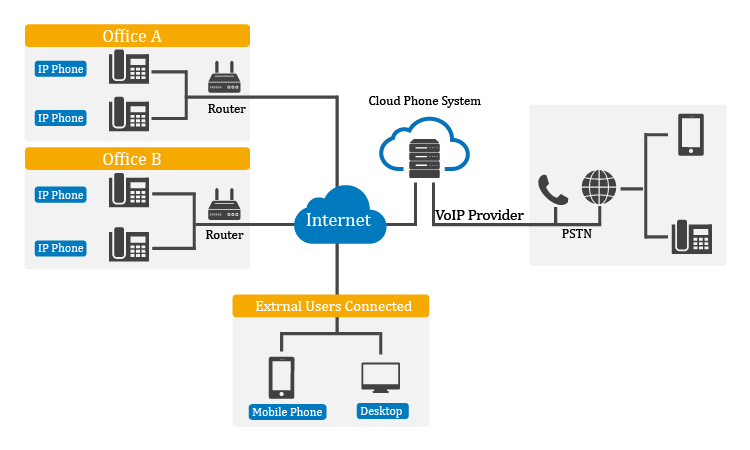
How are cloud phone systems different from on-prem ones?
.
- Infrastructure: On-premises systems require physical hardware installed and maintained on-site, while cloud phone systems operate in the cloud without the need for on-site equipment.
- Maintenance and Updates: With on-premises systems, businesses are responsible for maintaining and updating themselves. Hosted phone systems handle these tasks at the service provider's end.
- Scalability and Flexibility: Cloud phone systems allow businesses to add or remove users and features with just a few clicks. On-premises systems may require purchasing and configuring additional hardware.
- Cost Structure: On-premises systems involve upfront capital expenditures and ongoing maintenance costs. Cloud PBX operates on a subscription-based model with predictable monthly fees.
- Reliability and Redundancy: Virtual PBX often have built-in redundancy and multiple data centers, ensuring high availability.
- Remote Accessibility: Cloud phone systems allow users to make and receive calls from anywhere with an internet connection.
Why choose Yeastar Cloud PBX?
.
- More than a PBX: Yeastar Cloud PBX is an all-in-one solution for modern business. Empower your team with inbuilt call center solution, Linkus, omnichannel messaging, and more advanced VoIP features in one package.
- Easy Central Management: Simply your UCaaS service delivery and support with task management, provisioning templates, and more.
- SIP Trunking & IP Phones Options: Yeastar Cloud PBX is interoperable with over 100+ SIP trunk providers and supports auto-provisioning various SIP phones. That means easier setup and more savings.
- Open Ecosystem: Yeastar phone system is integrated with Microsoft Teams, popular CRMs, and more 3rd-party platforms to drive teamwork productivity and customer experience. Moreover, we are setting foot on the contact center market, introducing WhatsApp and SMS integration to the P-Series Phone System for an omnichannel messaging experience.
Can I connect my existing PBX to the cloud?
.
Yes. Yeastar allows you to connect your existing on-premises PBX to the cloud using SIP trunking. Instead of traditional phone lines or primary rate interfaces (PRI), your PBX need to connect to the public switched telephone network (PSTN) through the internet.
SIP trunking offers a hybrid solution that enables the integration of legacy systems with cloud-based services. That means you have the option to gradually migrate to the cloud PBX, ensuring uninterrupted communication for your business.
Can I migrate from my current hosting provider to Yeastar
.
Yes. In most cases, migrating to Yeastar cloud PBX is a straightforward process designed to minimize effort and disruption. You can migrate your existing PBX configuration, with core settings applied through guided steps rather than manual reconfiguration.
Yeastar also supports auto-provisioning for IP phones, making it easy to reconnect supported devices without on-site setup. SIP trunk settings, extensions, and call routing can be quickly re-applied or adjusted through the web-based management interface, allowing you to move services with confidence while keeping your existing numbering and integrations intact.
For more complex environments, the centralized management tools help ensure a smooth transition with minimal downtime.